Upload ordinary movement video
Start from a standard clip with no markers, suits, or dedicated lab capture hardware required.
 Movision Labs
Markerless biomechanics from video
Movision Labs helps students, educators, and researchers turn ordinary movement video into fitted skeletal visualization, kinematics, model-derived kinetics, and exportable data in one focused browser workspace.
Start from a standard clip with no markers, suits, or dedicated lab capture hardware required.
Review skeletal motion, joint angles, velocities, angular velocities, estimated forces, moments, and power-related outputs.
Save scene images, plot captures, visualization video, and signal data for teaching, reporting, or further analysis.
Real analysis proof
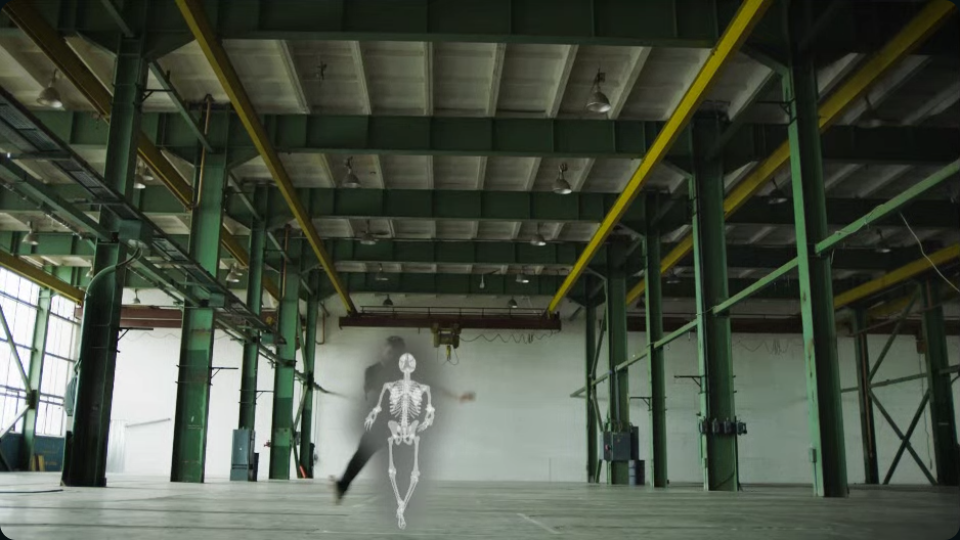
These are real assets from the same movement sequence: the raw clip, the fitted skeletal overlay, the force-overlay view, and the exported signal artifact that leaves the browser with you.
Work from ordinary movement footage before any overlay or interpretation is added.
Use the skeletal overlay to judge timing, posture, and segment motion against the visible action.
Estimated forces and overlay context can be reviewed alongside the same movement when the question calls for it.
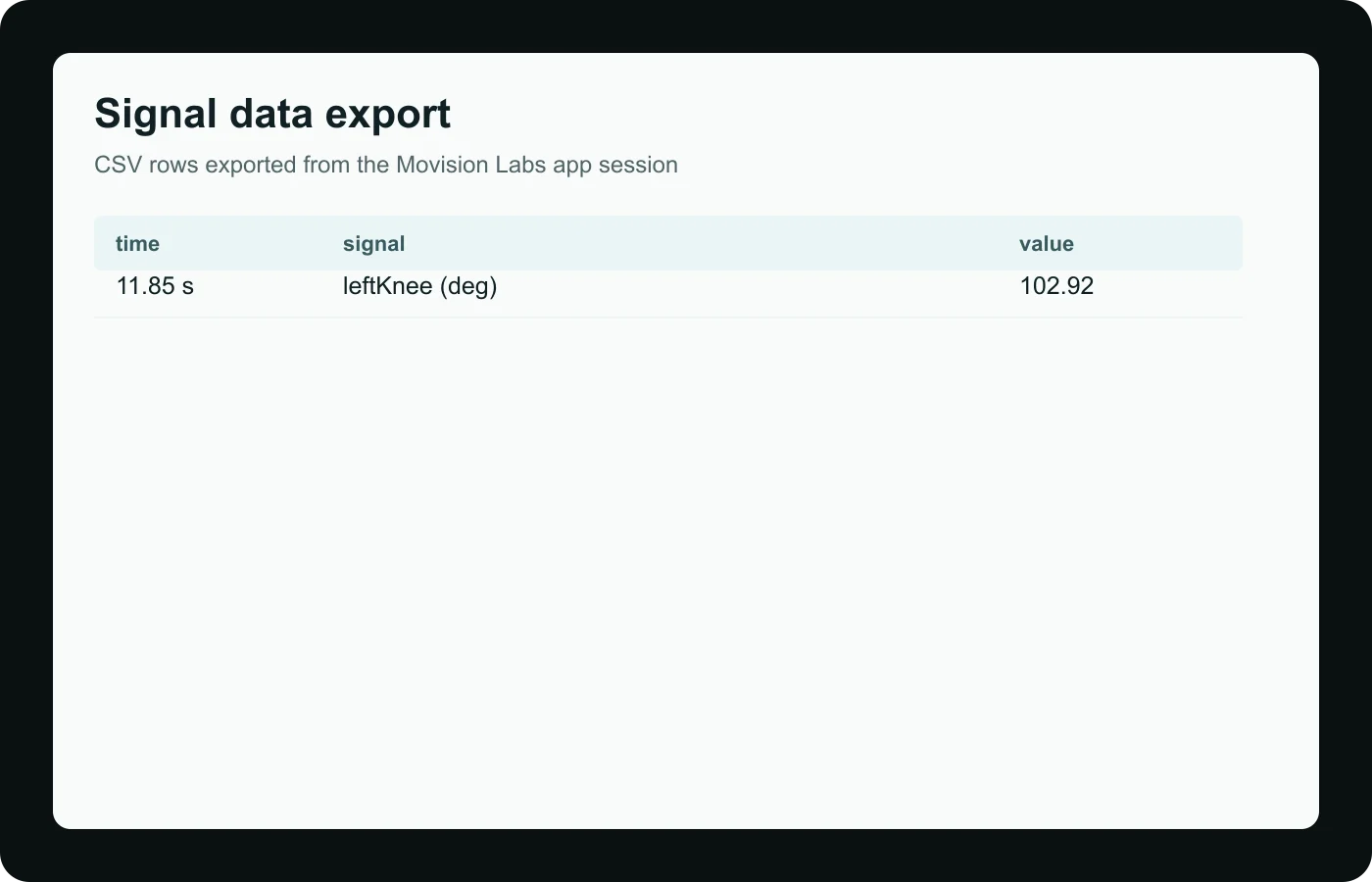
Export signal data when you need a plot, table, or downstream workflow outside the live analysis view.
A short four-step workflow turns ordinary movement video into movement review, model-derived biomechanics signals, and export-ready outputs.
Upload a movement video directly in the browser.
Process markerless skeletal data and model-derived biomechanics outputs without physical markers.
Inspect pose overlays, joint centers, joint angles, velocities, forces, moments, and power-related signals.
Export scene images and signal data for teaching, research, or further analysis.
Movision Labs gives users visual movement analysis plus exportable outputs they can interpret, document, and take into downstream coursework or research workflows.
Inspect the source clip with fitted skeletal visualization, playback controls, and frame-by-frame timing context.
Work from joint angles, velocities, angular velocities, and related time-series signals that help describe motion.
Inspect estimated forces, joint moments, external loads, power metrics, and joint-center outputs with appropriate context.
Save scene images, plot captures, visualization video, and downloadable signal data for class, lab, or follow-up analysis.
Educator workflow
Movision Labs works best when students move from a visible question to one interpretable signal, then export the evidence they need to explain what they saw.
Start with a task students can answer from one or two signals, not a giant dashboard of everything at once.
Have students compare the source clip and fitted skeleton first so they understand what the signal is actually built from.
Use the plot and the video together to explain when the important event happens and what the body is doing at that moment.
Save an image, plot, or CSV so the discussion can continue in a report, lab worksheet, or classroom comparison.
Movision Labs supports coursework, classroom demonstrations, lab activities, and research-oriented review without asking users to start in a motion-capture lab.
Open the app, upload videos, visualize movement, and connect what you see on screen to kinematics and kinetics for coursework or self-study.
Open appUse Movision Labs to demonstrate motion, estimated forces, joint moments, and power metrics with a workflow that students can follow on their own.
Browse teaching articlesUse a practical workflow to process movement videos, visualize skeletal and kinetic outputs, and export signal data for downstream review.
Contact usClear answers about free access, exports, teaching, and responsible interpretation.
Yes. The public Movision Labs app is currently available as a free educational biomechanics product for students, educators, and researchers.
Movision Labs can generate model-derived outputs such as 3D joint centers, joint angles, velocities, angular velocities, estimated ground reaction forces, joint moments, external loads, power metrics, and signal exports.
Yes. The app is designed for markerless skeletal visualization plus kinematic and model-derived kinetic signals for teaching and research workflows.
Yes. Movision Labs supports image export, signal export, and video-based visualization review within the browser workflow.
Yes. The app and blog are designed to help instructors demonstrate movement analysis workflows, interpretation, and export steps in class.
Yes. Researchers can use the app to move from movement video to exportable model-derived signals for further review and analysis.
No physical markers are required. Movision Labs is designed to work from ordinary movement video.
Yes. Force, moment, load, and power outputs are estimated or model-derived unless directly measured by external hardware. They should be interpreted with appropriate context and assumptions.
Journal
The Movision Labs journal is built as a learning library: foundational biomechanics, computer vision concepts, recording choices, and careful signal interpretation for people using video to study movement.
A clear guide to what each category describes and why the distinction matters when reading movement data.
Computer visionA clear explanation of landmarks, segmentation, model fitting, and signal export.
RecordingPractical guidance for recording clips that are easier to inspect and interpret.
Signal exportA careful guide to reading exported signals without overclaiming what the model knows.
The app runs directly in the browser and gives students, educators, and researchers one focused workspace for video-based biomechanics analysis.